- Pt 8, Manuel Pinto Rd, Muyenga (U)
- info@nextelsystems.com






What is VoIP?
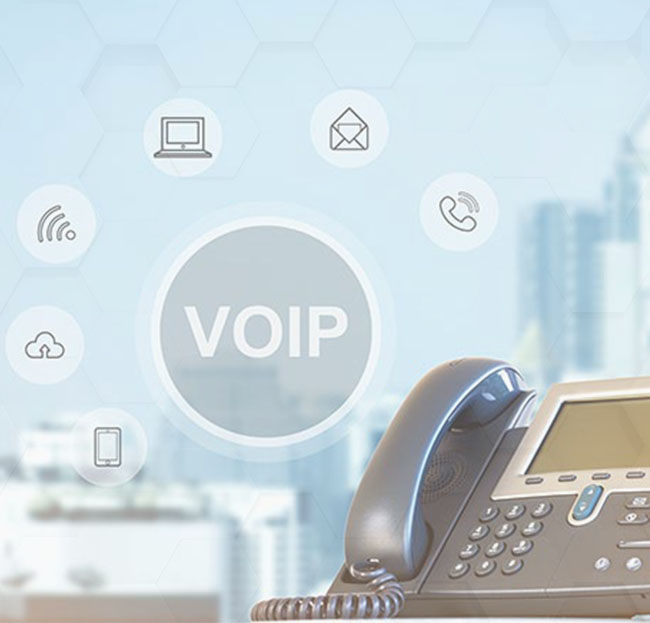
Voice over internet protocol (VoIP) is a type of phone system that uses an internet connection to make and receive calls, rather than traditional landlines.
Most people consider VoIP the alternative to the local telephone company. If you have an internet connection, you can call anyone without the need for traditional, local phone service or physical copper wires. All you need is high-speed internet and a VoIP service provider to handle the calls. The best part is that you aren’t bound to a specific desk. You can use a VoIP phone number via a business phone app to turn your computer or any mobile device into a phone.
A trusted VoIP provider can handle everything for you. Plug your IP phone in, and you’re done. These digital phones use your high-speed internet connection to establish connectivity.
VoIP converts your phone calls into data that is sent over the internet. You can use the Ethernet cables or skip them if you have a strong Wi-Fi signal. It does so at a much lower cost than older telephone systems. Voice over IP has many advantages over traditional phone service.
What is the difference between VoIP and landline phones?
The main difference between VoIP phones and landline phones is that a landline phone is hardwired into a physical location using copper wires. A VoIP phone, on the other hand, makes and receives calls over the internet and is not bound to a specific location.
Traditional telephones use analog lines to carry voice signals. If you want to make calls, you have to have extra wiring installed.
Many people choose VoIP over traditional landline phones because there is less startup cost involved and they can make calls using the internet, which saves them money on long-distance charges.
How does VoIP work?
Your phone connects to your switch or router in your Local Area Network (LAN).
When you dial a telephone number, your IP phone tells your VoIP service provider to call the other party.
Your VoIP service establishes the call and exchanges data packets from your IP phone.
Your VoIP phone converts these digital signals back into the sound you can hear.
Illustration of how VoIP works
Voice over internet protocol (VoIP) converts your voice to a digital file, compresses it, and sends it over the internet. The VoIP service provider (much like your internet service provider) sets up the call.
For phone calls, the conversation is exchanged using small data packets. The internet can send these data packets around the world in less than a second. For internet telephony, these packets travel between your phone and a VoIP provider.
Voice over Internet Protocol bypasses the telephone company entirely. Wherever you have a broadband internet connection, you can use VoIP. It’s a significant upgrade from an analog phone system.
You used to need expensive, proprietary equipment to use VoIP — but that was over 20 years ago! Today, VoIP is built upon open standards such as Session Initiation Protocol (SIP). SIP provides complete interoperability between different desk phones, conference phones, and VoIP apps.
Advantages of VoIP
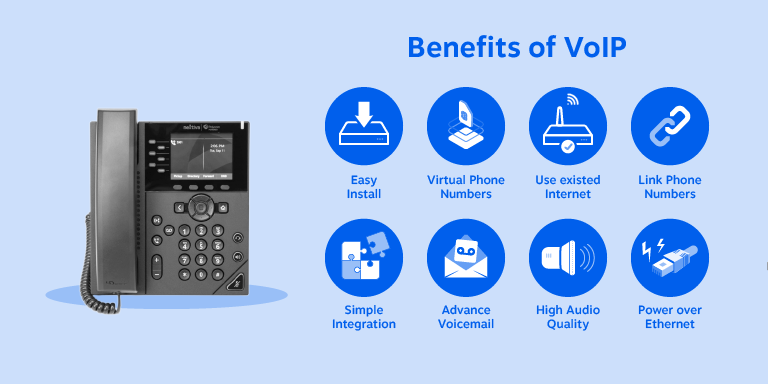
benefits of a VoIP phone include easy installation, virtual phone numbers, simple integration, and more
Lower cost – Many consumers and businesses alike have realized substantial cost savings and lowered their phone bills by over 60%.
High-quality sound – There’s a noticeable difference in the call quality, so the audio isn’t muffled or fuzzy.
Advanced features – Leverage premium features to run your company such as auto attendants, call recording, and call queues. They’re often included with business phone service plans.
Call anyone worldwide – International long-distance rates are as low as $0.04 per minute to call Mexico or $0.01 to reach the United Kingdom.
Business phone numbers for a remote work team – Use your phone service wherever you work. No technical setup is necessary if you work from home. The good news is that VoIP desk phones aren’t expensive, and you can even get them for free from your VoIP service provider. Plus, providers include a mobile app that you can use on your desktop or mobile device to make calls instead of using a traditional handset.
Best VoIP phone system features
What are the attractive features available with a cloud-based office phone system? Here are the most popular VoIP features that businesses will enjoy using.
6 VoIP features you can’t live without – auto attendance for incoming calls, mobile apps for calls on the go, HD call sound quality, integrated team collaboration tools, call encryption & security, call recording & analytics
1) Auto attendant
An auto attendant is a VoIP feature that answers calls and directs calls to the correct extension. You can also use an auto attendant to forward calls to your voicemail or elsewhere outside of business hours.
If you’ve called a company and had to press 1 for sales, and 2 for support, you’ve used an auto attendant. An auto attendant is a great way to project a professional image with a phone menu that greets incoming calls.
2) Mobile and desktop apps
If you choose a reputable VoIP phone system, like the one from Nextiva, you get a software app that you can use to accept and make calls from your desktop computer or any mobile device.
It’s more important than ever to equip your team with a VoIP solution to work from home. These apps let you make phone calls, join conference calls, exchange text messages, and more, with or without a separate desk phone. It’s your choice.
3) HD call quality
There’s almost nothing worse than asking callers to repeat themselves. HD Voice increases the sound quality of your phone calls. This VoIP technology makes phone calls sound twice as clear as a standard phone call.
For even fuller sound, many VoIP headsets and phones provide noise-canceling capabilities. This high-definition sound quality is noticeable even for long-distance calls.
4) Unified Communications
VoIP elevates your team’s workflow through a concept known as Unified Communications (UC). Instead of using several disparate apps, your company’s communications platform is fully integrated.
It’s now even easier for employees to connect with each other and with customers. You can even flip calls between mobile devices, too.
Your team gets work done faster by meeting over video and screen sharing. UC makes real-time communication intuitive and well-organized.
5) Call encryption and VoIP security
VoIP security is top of mind for business owners. Telephone calls carry confidential information like credit card numbers and HR conversations. You must protect these assets, or it could cost you.
VoIP is safe and secure even as data packets travel through the internet. IP phone systems have built-in security to stop bad actors from tapping your calls.
6) Call recording
Leverage your phone system to record phone calls between customers and your staff. Is your team handling calls with care and precision?
Recording calls through your phone system reveals areas for your team to improve. Plus, it’s secure, so only authorized personnel can access it.
The advantage of VoIP call recording is that it’s undetectable to all parties. It also requires no extra hardware, unlike landline PBX systems. Goodbye, cassette recorders!
There are no reviews yet.